
How to Pay on an SMM Panel with bKash, Nagad and Rocket (Step by Step)
To pay on an SMM panel with bKash, Nagad or Rocket, log in, open Add Funds, choose the Bangladesh payment option, enter your amount in taka and complete the payment from your wallet. Your payment becomes panel balance, usually within a few minutes, and you use that balance to place orders.
লগইন করে Add Funds পেজে যান, বাংলাদেশের পেমেন্ট অপশনটি বেছে নিন, টাকার পরিমাণ লিখুন এবং স্ক্রিনের নির্দেশনা অনুযায়ী বিকাশ, নগদ বা রকেট থেকে পেমেন্ট করুন। ব্যালেন্স না এলে আবার টাকা পাঠাবেন না, Transaction ID সহ একটি টিকিট খুলুন। আপনার PIN বা OTP কাউকে দেবেন না।
bKash, Nagad and Rocket Payment Options on an SMM Panel
An SMM panel works like a prepaid wallet. You add money first, and each order is deducted from that balance. You do not pay separately for every order, and you never type your wallet PIN into an order form.
On JTSMMPANEL, Bangladeshi users have two options on the Add Funds page, and both include all three wallets. Check both before you open your wallet app.



Bkash / Nagad / Rocket + More Bangladeshi
Shown on a card labelled "Bkash/Nagad". This is the one to try first if you want the low minimum and the bonus.
- bKash, Nagad, Rocket and more
- Minimum and bonus shown in the option name
- Offers can change, so read the name before you pay
বিকাশ/নগদ/রকেট/উপায় + All Bangladeshi
Shown on a card labelled "Bangladeshi". Use it if you pay with Upay or another local method, or if the first option is unavailable.
- bKash, Nagad, Rocket and Upay
- Other Bangladeshi methods in one place
- Same taka converter on the page
How to Add Funds with bKash, Nagad or Rocket
Have your wallet ready with enough balance. These five steps usually take about two minutes.
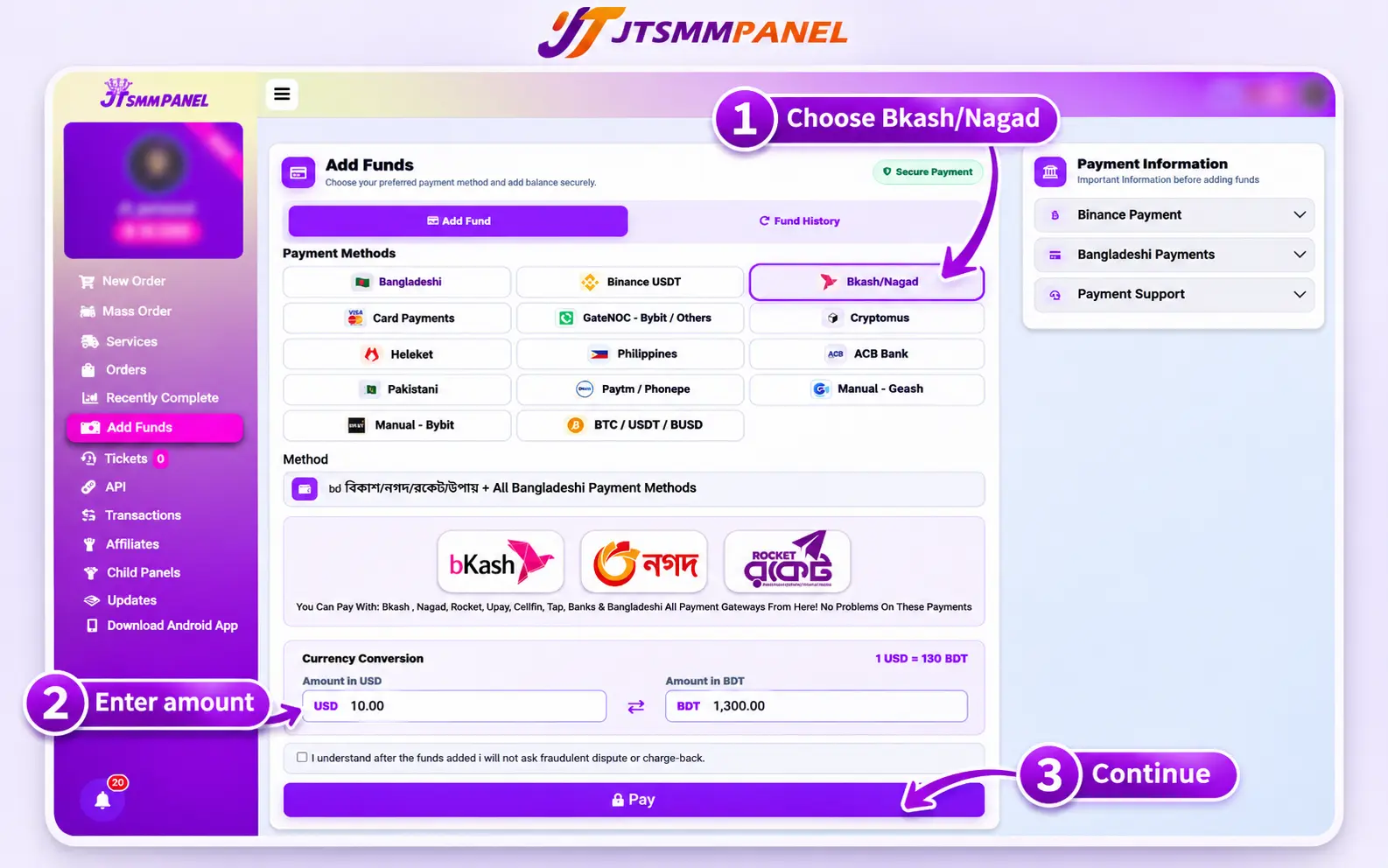
Log in and open Add Funds
Sign in to your account and open Add Funds from the menu. New here? Create a free account first.
Select the Bangladesh payment option
Choose "Bkash / Nagad / Rocket + More Bangladeshi", or the option that lists all Bangladeshi methods. Read the instructions that appear, because the details can change.
Enter your amount
Type your amount in the USD or BDT box. The converter fills in the other box using the rate on the page. New users should start small and test one service first.
Complete the payment in your wallet
Follow the payment screen and choose bKash, Nagad or Rocket if it asks. Use the same amount and the same transaction type it shows, such as Send Money or Payment. Check the details, then confirm with your PIN only inside your wallet app or on its official dial menu.
Check your balance
Go back to the panel and refresh. If the screen asks for a Transaction ID, enter it once. Your balance should update within a few minutes. Keep your wallet receipt until you see the funds.
bKash vs Nagad vs Rocket: Which Should You Use?
All three are listed under the same Bangladesh options on JTSMMPANEL, so use the wallet that already has enough balance. Failed payments are often caused by low balance or wallet limits, not by the panel.
| Check this | bKash | Nagad | Rocket |
|---|---|---|---|
| On JTSMMPANEL | Yes, both Bangladesh options | Yes, both Bangladesh options | Yes, both Bangladesh options |
| Reported personal transfer limit | ৳50,000 per day and ৳3 lakh per month, and providers can set their own limits | ||
| Where to check your limit | Inside your bKash app | Inside your Nagad app | Inside your Rocket app |
| If your wallet has a problem | bKash helpline 16247 | Help section in the Nagad app | Help section in the Rocket app |
The limit is from news reports of Bangladesh Bank's March 2025 revision, checked in November 2026. It can change, and your app shows what applies to you.
How Taka Becomes Panel Balance
Service prices are listed in US dollars per 1,000 units, but you pay in taka. The Add Funds page converts your amount at the rate it shows at that time.
৳1,000 ÷ ৳130 per $1 = about $7.69 balance
$7.69 + 7% bonus = about $8.23 balance
$0.50 per 1,000 × 2,000 units = $1.00 order
The $0.50 price is only an example. Use the live rate on your Add Funds page and the live price on the services page.
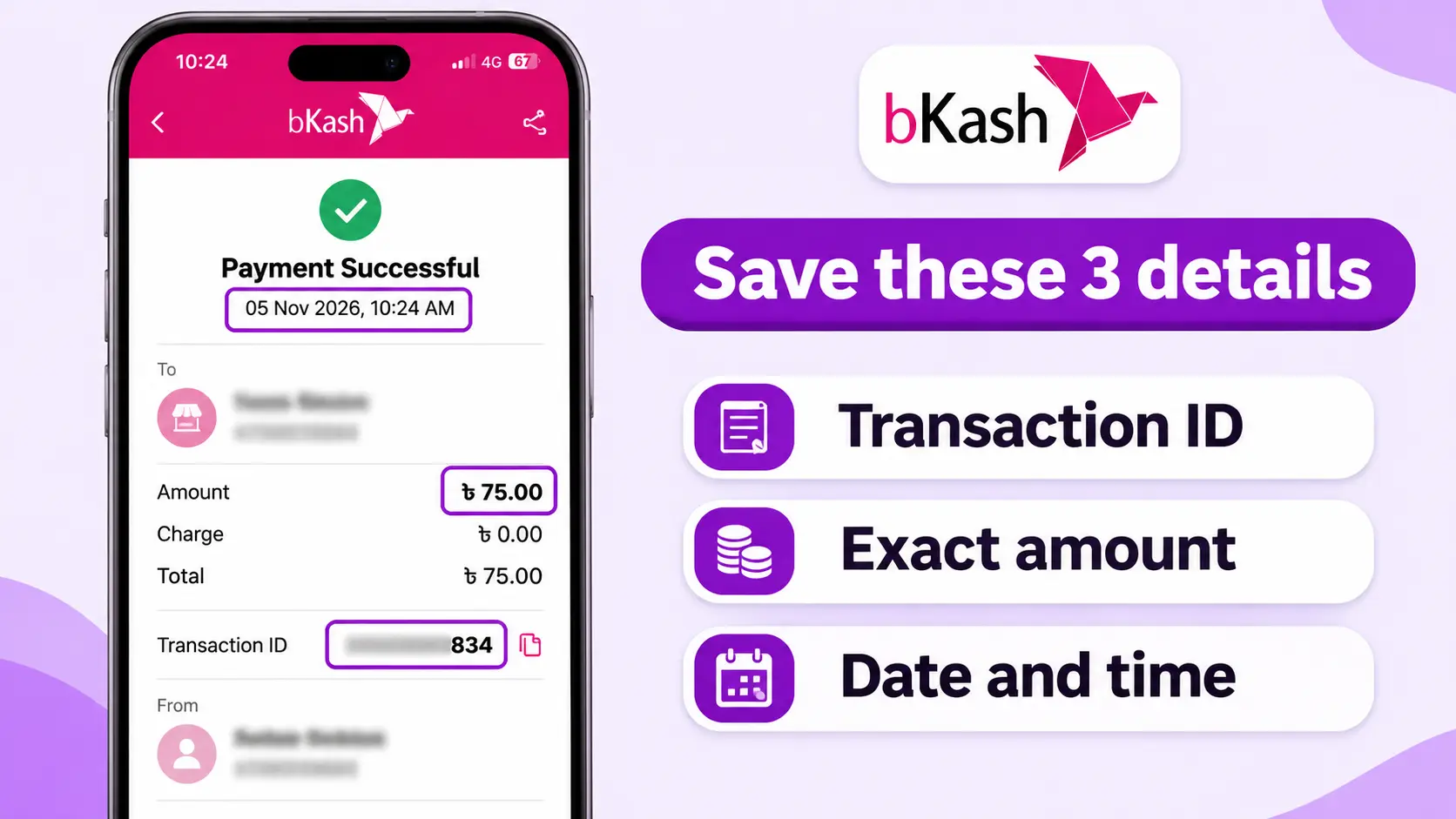
Save These Details After Every Payment
This small habit fixes most payment problems quickly. If something goes wrong, support needs these details to find your payment.
- WalletbKash, Nagad or Rocket
- Transaction IDFrom your wallet receipt or SMS
- AmountExact taka amount
- Date and timeFrom your wallet receipt
- Panel usernameThe account you topped up
- ProofFull receipt screenshot
bKash, Nagad or Rocket Payment Not Showing? Fixes
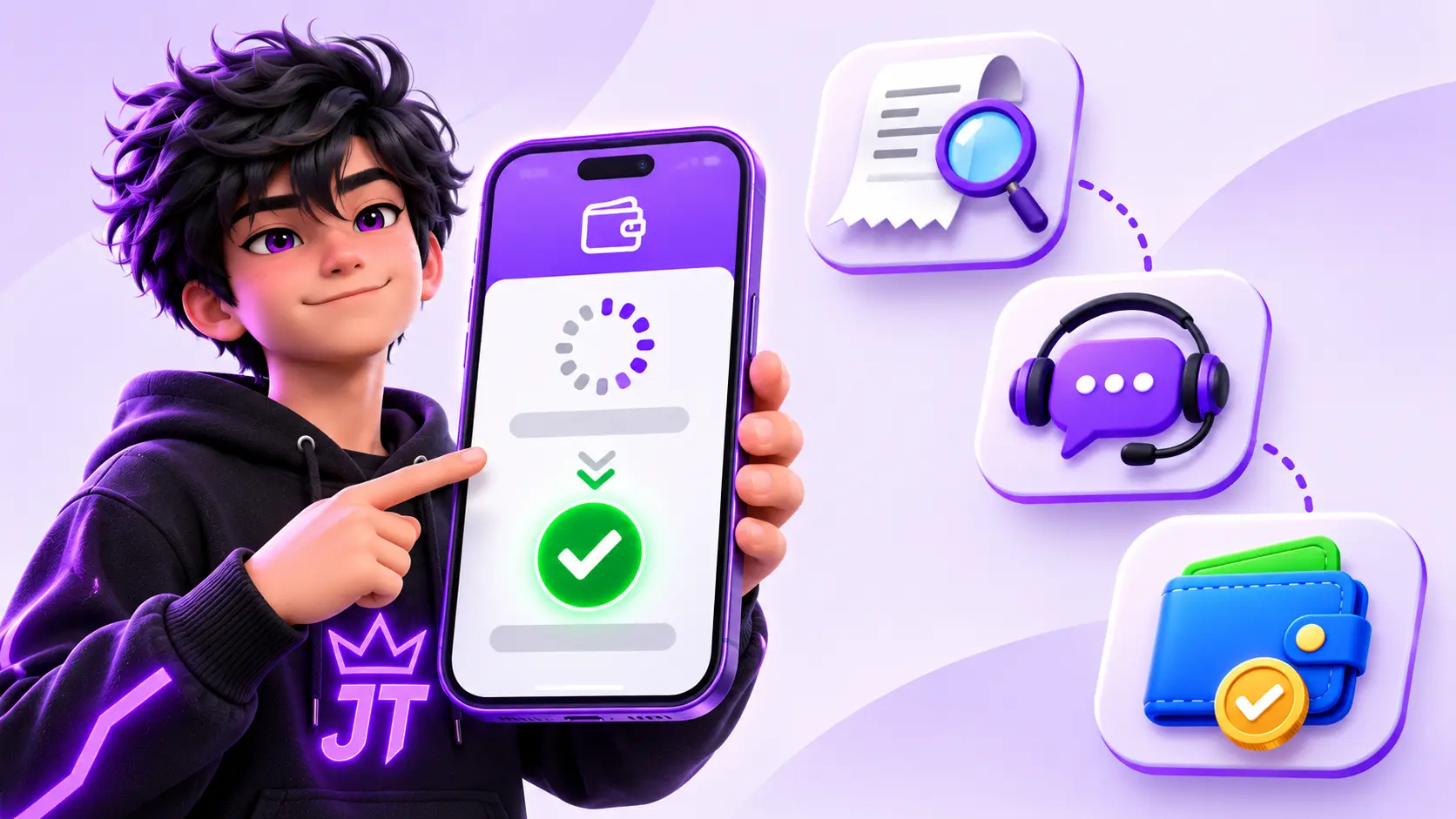
Paid, but no balance after a few minutes
Check your wallet history first. If the money left your wallet, refresh the panel, then open a support ticket with your receipt. Do not pay again.
You used the wrong transaction type
Do not send a second payment to fix it. Open a ticket with the receipt and say which type you used, such as Send Money or Cash Out.
Payment failed or over the limit
Check your wallet balance and limit, because you may have reached it for the day. Try a smaller amount or use your other wallet.
Charged twice
Screenshot both transactions. Report the double charge to your wallet's support, and open a panel ticket with both Transaction IDs.
You cannot see the option
Check that you are logged in. Available methods depend on the live payment setup, so ask support which option to use today.
You sent the wrong amount
Do not send more to balance it out. Open a ticket with the receipt and explain what happened.
Stay safe: never share your wallet PIN or verification code with anyone, including people who claim to be panel support. JTSMMPANEL does not give payment support by phone call, so treat any such call as a scam. Take payment details only from your logged-in Add Funds page, not from a stranger in a Facebook or Telegram chat. Your social media password is never needed for an order either.
What to Do After Your Funds Arrive
Start with a small test order so you can check speed and quality before spending more. These pages can help:
- See services and payment details on our SMM panel for Bangladesh page.
- Bangladeshi pages and shops can start with Facebook services or TikTok services.
- Before a larger order, read whether an SMM panel is safe for a Facebook page.
- Thinking of reselling? Read how to start an SMM panel business in Bangladesh.
Frequently Asked Questions
Can I pay for an SMM panel with bKash?
Yes, if the panel offers it. On JTSMMPANEL, bKash is included in the Bangladesh options on the Add Funds page. Your payment becomes panel balance, which you then use to place orders.
Can I use Nagad or Rocket to add funds?
Yes. On JTSMMPANEL, Nagad and Rocket are included in the same Bangladesh options as bKash. Pick the wallet that has enough balance.
What is the minimum deposit with bKash, Nagad or Rocket?
The "Bkash / Nagad / Rocket + More Bangladeshi" option lists a $0.20 minimum, which is about ৳26 at ৳130 per $1. Minimums can change, so check the Add Funds page before you pay.
How long does a bKash or Nagad deposit take?
Most mobile wallet payments arrive instantly or within a few minutes. If your payment does not appear, open a ticket with your Transaction ID instead of paying again.
Are SMM panel prices in taka?
Prices on JTSMMPANEL are listed in US dollars per 1,000 units. When you pay with a Bangladeshi method, the Add Funds page shows the conversion between USD and BDT at its current rate.
What should I do if I paid but my balance did not update?
Check that the money left your wallet, wait a few minutes and refresh the panel. If the balance still has not changed, open a support ticket with your receipt, Transaction ID, amount and time. Do not pay again.
Can I get my bKash, Nagad or Rocket deposit refunded?
Undelivered or partly delivered orders are refunded to your JTSMMPANEL balance automatically. Refunds back to your wallet are reviewed under our refund policy.
Will JTSMMPANEL call me about my payment?
No. JTSMMPANEL does not give payment support by phone call. If someone calls about your payment and asks for your PIN or verification code, do not share it. Use a support ticket from your account instead.