Skip to content
JTSMMPANEL BLOG

Social Media Marketing Insights & Guides

Discover practical social media marketing tips, SMM guides, platform strategies and insights to help you grow your online presence and make the most of social media.

How to Pay for an SMM Panel with MoMo in Vietnam (2026 Guide)

How to Pay for an SMM Panel with MoMo in Vietnam (2026 Guide)

Yes, you can pay for an SMM panel with MoMo in Vietnam. On JTSMMPANEL you don't pick "MoMo" as a button. You pick ACB Bank, then scan the QR code or send a normal bank transfer from your MoMo or ZaloPay app, and the panel adds the money to your balance on its own. We get this question in support almost every week from customers in Hanoi and Ho Chi Minh City, so I'll show you the exact steps, what to type in the memo, and what to do if the money doesn't show up.

Can You Use MoMo on an SMM Panel?

Short answer: yes, just not the way most people expect. MoMo doesn't let foreign websites take payments straight from your wallet, so you won't find a "Pay with MoMo" button on most SMM panels, ours included.

What MoMo does let you do is send money to any Vietnamese bank account. That transfer goes through the Napas 247 network, which runs 24 hours a day, 7 days a week, so it arrives in seconds, even at 2 a.m. or on a Sunday. Our payment system checks the ACB account, finds your transfer by its memo and tops up your balance in USD. You don't have to send a receipt or message anyone.

So when people ask me "does JT take MoMo?", I say yes, through ACB. Same for ZaloPay, VNPay and every banking app in Vietnam.
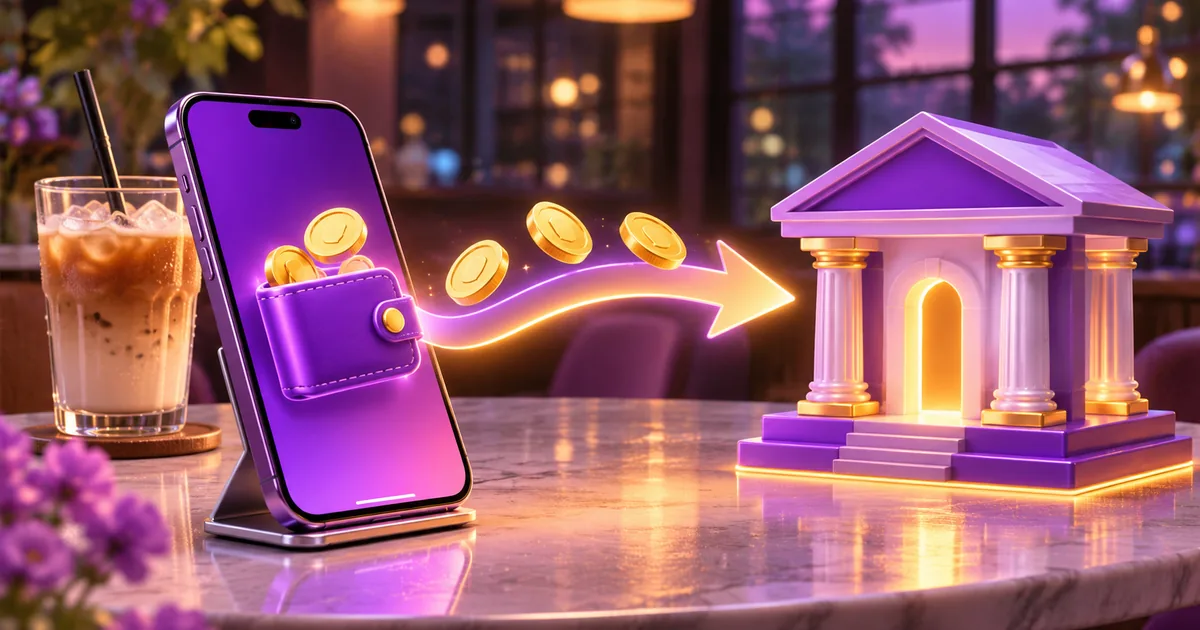
Phone sending a MoMo bank transfer to an ACB account for an SMM panel in Vietnam
MoMo sends the money to ACB. The panel does the rest.

Payment Methods for an SMM Panel in Vietnam

Here's what customers in Vietnam can use on JTSMMPANEL right now. Pick whatever you already have on your phone.

MethodHow you payBonusGood for
ACB Bank (auto)QR or transfer from MoMo, ZaloPay or any bank appUp to 7% from $50Most people in Vietnam
Binance Pay (USDT)Pay from your Binance app3% from $50, 6% from $100People who already use Binance
Bybit, MEXC, Bitget and moreExchange pay, automatic7%Resellers and big top-ups
Cryptomus / HeleketBTC, USDT, ETH and more7%If you hold other coins
Visa / Mastercard / AmexCard checkoutNone listedInternational cards

If you're new, start with ACB. You pay in VND, so there's no dollar card and no crypto to learn. The minimum is just $1, so you can test it with a small amount first.

ACB bonus: how much extra you get

Top up more and the panel adds a bit extra to your balance. It's 1% from $50, 2% from $100, 3% from $300, 4% from $500, 5% from $1,000, 6% from $5,000 and 7% from $10,000. So a $100 top-up gives you $102 to spend.

How to Add Funds with MoMo (Step by Step)

This takes about two minutes the first time. After that it's even faster, because your phone remembers the account.

  1. Log in to JTSMMPANEL and open Add Funds.
  2. Choose ACB - Vietnam Bank Payment from the list.
  3. Type the amount you want to add in USD and press Pay.
  4. On the payment page, choose Vietnam, then ACB Bank, and press Continue. You'll see a QR code, the amount in VND and a memo (nội dung chuyển khoản).
  5. Open MoMo and scan the QR code. Or tap Chuyển tiền, then Chuyển đến ngân hàng, pick ACB and paste the account number.
  6. Check that the VND amount and memo match the invoice exactly. Don't change a single letter.
  7. Confirm with your PIN or face ID. Keep the payment page open, and the system confirms it and adds your USD balance on its own.

Scanning a VietQR code with a phone to add funds to an SMM panel account
Scanning the QR fills in the account, amount and note for you.
The memo is the key. That's how the system knows the money is yours. If you leave it empty or type it by hand with a mistake, the payment can't be matched on its own and you'll need to open a ticket. Copy and paste it, every time. And pay before the invoice expires. If it runs out, start a new one instead of paying the old one.

Paying with ZaloPay or a bank app

It's the same idea. ZaloPay and almost every bank app can scan the same QR code. In Vietcombank, Techcombank, MB Bank or any other app you can also make a normal fast transfer (chuyển nhanh 24/7) to the ACB account. Same amount, same memo.

MoMo vs ZaloPay vs Bank App: Which Is Best?

Honestly, any of them works. What matters is the memo and the amount, not the app.

MoMo is what most of our Vietnam customers use, because it's already on their phone and the QR scan is quick. ZaloPay is just as good if you live in Zalo all day. A bank app is the safest pick for bigger top-ups, since wallets often have daily limits and banks usually don't.

One small thing to check: some wallets charge a fee for transfers to banks after a few free ones each month. If that happens, the fee comes out of your side, so make sure the amount that reaches us is still the full VND amount on your invoice.

MoMo Payment Not Showing? How to Fix It

Most "missing" payments aren't missing. They're just waiting to be matched. Here's what I'd check, in this order.

Wait 10 minutes first. Napas transfers are fast, but banks sometimes batch them, especially late at night or during Tết.

Check the memo. Open the transfer in your MoMo history and compare the memo with the one on your invoice. A missing or changed memo is the reason nine times out of ten.

Check the amount. If you sent a different amount, or a fee came off, the match can fail.

Check the invoice time. If you paid after the invoice expired, the system may not pick it up on its own.

Check the account. Make sure you sent it to the ACB account on that invoice, not to a saved contact from some other site.

Still nothing after 30 minutes? Open a ticket, choose Payment, and send a screenshot of the MoMo receipt with the time, amount and transaction ID showing. Our team checks it by hand and adds the balance. Please don't send the same payment again while you wait, because then we have two to sort out.
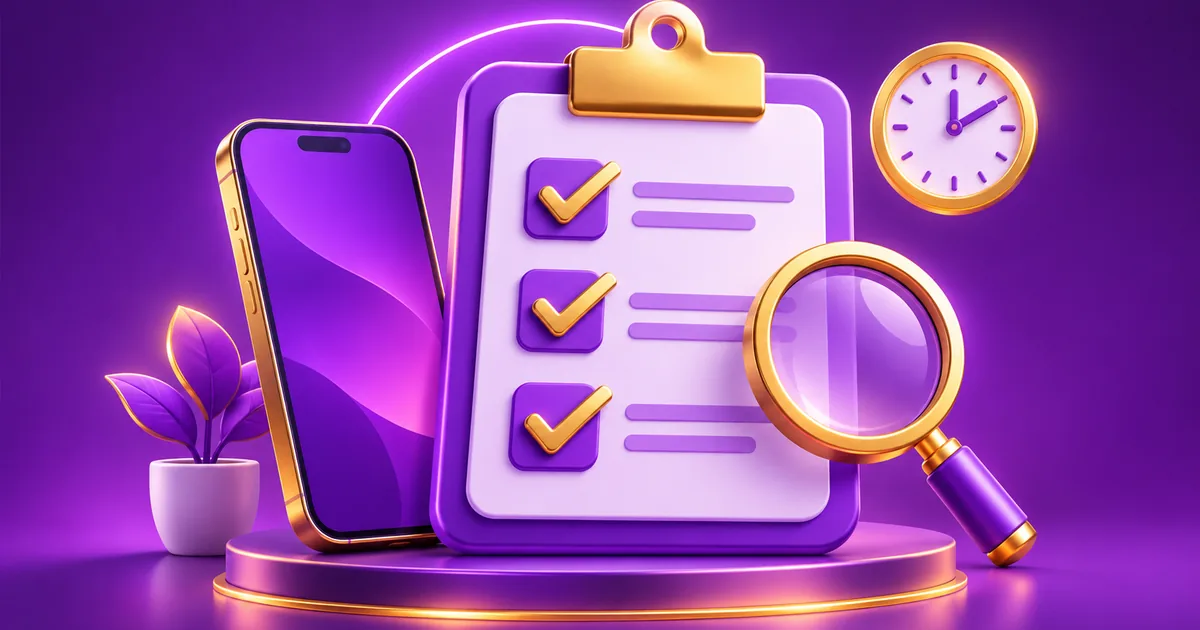
Checklist for a MoMo payment not showing on an SMM panel
Memo, amount, invoice time, account. Check those before you open a ticket.

Best Services to Buy First in Vietnam

Once the money's in, what do people in Vietnam actually order? From what we see in support, it's mostly three things.

TikTok views and followers, for shops selling on TikTok Shop and for creators whose new video is stuck at 200 or 300 views. Start small and read our TikTok safety guide first.

Facebook page likes and followers, because a lot of small businesses in Vietnam still sell through Facebook pages. A page with 2,000 or 3,000 followers just looks more trustworthy to a new buyer than one with 40.

YouTube views and subscribers, mostly from channels working toward monetization. Go slowly here, and use drip feed so the numbers don't jump overnight.

You can see every service and price on the SMM panel Vietnam page.

Frequently Asked Questions

Can I pay for an SMM panel with MoMo in Vietnam?

Yes. On JTSMMPANEL you choose ACB Bank, then scan the QR code or send a bank transfer from MoMo using the VND amount and memo on your invoice. The panel adds the balance automatically.

Can I use ZaloPay instead of MoMo?

Yes. ZaloPay, VNPay and every Vietnamese banking app can send a fast transfer to ACB. The steps are the same.

How long does an ACB payment take to show?

Usually a few minutes, as long as the amount and memo are right. Keep the payment page open while it checks. If it's still missing after 30 minutes, open a payment ticket with your receipt.

What is the minimum deposit, and is there a bonus?

The ACB minimum is $1. You get a bonus from $50: 1% at $50, rising to 7% at $10,000.

What happens if I forget the memo?

The money still reaches us, but the panel can't match it to your account automatically. Open a ticket with a screenshot of the receipt and our team will add it by hand.

Can I pay in VND?

Yes. You type the amount in USD, and the invoice tells you the exact VND to send. Your balance is added in USD.

Can I pay from my MoMo wallet balance without a bank account?

Yes. MoMo can send to a bank account straight from your wallet balance. You can also pay with USDT or a Visa or Mastercard.

Read More →
How Much Are Facebook Stars Worth? (100 Stars to USD, BDT, PHP)

How Much Are Facebook Stars Worth? (100 Stars to USD, BDT, PHP)

Each Facebook Star is worth $0.01 to you, so 100 Stars = $1. In Bangladesh that's about ৳124. In the Philippines it's about ₱63. We get this question in support a lot, usually from someone who just finished a live, saw a few hundred Stars come in and wants to know if that's real money. It is. Just not as much as most people hope. Below I'll walk you through the numbers in USD, Taka and Peso, when Facebook actually pays you, and what helps you earn more. If you just want your own number, put it in our free Facebook Stars calculator.

How Much Are Facebook Stars Worth?

Meta pays one US cent for every Star a fan sends you. That's it. It's the same cent whether you live in Dhaka, Cebu or Texas, and whether your fan bought the Stars on an iPhone or a laptop.

So to work it out, take your Stars and divide by 100. 350 Stars? That's $3.50. 4,200 Stars? $42. Then multiply by the dollar rate if you want to see it in your own money.

Facebook Stars turning into coins, showing what Stars are worth in Taka and Peso
Every Star you get is one US cent. Your bank does the Taka or Peso part.

100 Facebook Stars to USD, BDT and PHP

I used the rate from 11 November 2026 for this table: $1 = ৳124.26 and $1 = ₱63.16. Rates change every day, so the Taka and Peso numbers are close, not exact.

Facebook StarsUSDBDT (Taka)PHP (Peso)
100 Stars$1৳124₱63
500 Stars$5৳621₱316
1,000 Stars$10৳1,243₱632
2,500 Stars$25৳3,107₱1,579
5,000 Stars$50৳6,213₱3,158
10,000 Stars$100৳12,426₱6,316
100,000 Stars$1,000৳124,260₱63,160

Need INR, PKR or another currency, or today's exact rate? The calculator covers 30 currencies and tells you how far you are from the $25 payout.

How much is 1,000 Facebook Stars in Bangladesh?

About ৳1,243. That's $10 at today's rate. Once the bank or Payoneer takes its small cut, you'll probably see a little over ৳1,200.

How much is 1,000 Facebook Stars in the Philippines?

About ₱632. Again, $10. Your bank's own rate and fee will shave a few pesos off.

What Fans Pay vs What You Get

A lot of new creators get confused here, and I get why. Your fan doesn't pay one cent per Star. In the US they pay around $1.40 for 100 Stars. You get $1. Meta keeps the 40 cents.

Stars sentFan pays (US, about)You get
100 Stars$1.40$1.00
1,000 Stars$14$10
10,000 Stars$140$100

The fan price isn't the same everywhere. It changes with the country, the app store and the pack size, and Meta doesn't publish one list. Your side, $0.01 per Star, doesn't change.

So if your cousin tells you she spent $14 on Stars for you and your dashboard says $10, don't panic. Nothing's missing. That's just Meta's share.

When Can You Withdraw Facebook Stars?

You can't pull out Stars one by one. Facebook adds them up and pays you once a month, but only after you pass a minimum.

For most payout methods that minimum is $25, which is 2,500 Stars. If you're paid by wire transfer it's usually $100. Payments normally go out around the 21st of the month, for what you earned the month before. In Bangladesh most people take it to a local bank account or Payoneer. In the Philippines a local bank is the common choice.

Didn't reach $25 this month? You don't lose it. It sits there and rolls into next month until you cross the line.

Wallet, bank card and calendar showing the Facebook Stars monthly payout
Payout is monthly, once you pass the minimum (usually $25).

Who Can Earn Facebook Stars?

The Stars button doesn't show up for everyone. You'll need a Facebook page, or a profile switched to professional mode. A normal personal profile can't get Stars.

Most people also need at least 500 followers, kept for 30 days in a row. You have to live in a country where Stars are switched on (Bangladesh and the Philippines both are), and you have to stay inside Meta's monetization rules. That means no reuploaded videos, no fake engagement and nothing that breaks the community standards.

Once you qualify, Stars shows up in your Professional dashboard. Turn it on and fans can send them on lives, reels and normal videos.

How to Earn More Facebook Stars

From what I've seen, the pages that make good money from Stars aren't always the big ones. They're the ones that go live on a schedule and treat the people watching like friends.

Lives are where most Stars come from, so go live often, and try to keep the same time each week. People can plan around you then. During the live, ask once or twice, nicely. Something like "if you're enjoying this, Stars really help me keep going" is enough. Don't repeat it every five minutes.

When someone sends Stars, say their name and thank them. It feels good for them, and everyone else watching sees it too. A goal on screen helps as well. "Let's hit 1,000 Stars tonight" gives people a reason to chip in.

Phone on a tripod with a ring light set up for a Facebook live to earn Stars
A simple phone and ring light is enough. Showing up on time matters more.

Reels are the other half. They reach people who don't follow you yet, and a few of those people will come back for your next live. More viewers, more chances of Stars.

Some creators also use a small follower or live-viewer boost to reach the 500-follower limit faster or to make a new live look less empty. That can help you get noticed. Just go slowly, and keep in mind that bought followers and viewers won't send you Stars. Only real fans pay. I wrote about what's safe in the Facebook page safety guide.

Facebook Stars Mistakes to Avoid

MistakeWhat happensDo this instead
Thinking 1 Star = 1 Taka or 1 PesoYour numbers end up way off.Use $0.01 per Star, then your rate.
Forgetting the payout limitYou wait for money that isn't due yet.Watch your total climb toward 2,500 Stars.
Typo in your bank detailsThe payment fails and gets held.Check the account name and number twice.
Asking for Stars all the timeFans get annoyed and leave.Ask once or twice, thank people often.
"Free Stars" sites and generatorsThey're scams and can get your page banned.Only count Stars fans send on Facebook.

Frequently Asked Questions

How much is 1 Facebook Star worth?

One Facebook Star is worth $0.01 USD to the creator. That's about ৳1.24 in Bangladesh or ₱0.63 in the Philippines at the November 2026 rate.

How much is 100 Facebook Stars?

100 Facebook Stars are worth $1 to the creator, about ৳124 or ₱63. A fan in the US pays about $1.40 to buy 100 Stars.

How much is 1,000 Facebook Stars in Taka?

1,000 Stars equal $10, which is about ৳1,243 at the November 2026 rate. Your bank or Payoneer may take a small fee.

How much is 1,000 Facebook Stars in Peso?

1,000 Stars equal $10, which is about ₱632 at the November 2026 rate. The final amount depends on your bank's rate and fee.

What is the minimum payout for Facebook Stars?

The usual minimum is $25, which is 2,500 Stars. For a wire transfer it's often $100. Check your Professional dashboard for your own limit.

Can I earn Facebook Stars in Bangladesh?

Yes. Stars are available in Bangladesh. You need a page or a professional-mode profile, usually 500 followers for 30 days, and you have to follow Meta's monetization rules.

Do Facebook Stars expire?

Stars you've received don't expire. If you're under the payout minimum, the money carries over to the next month until you reach it.

Read Next

Read More →
What Is Drip Feed in SMM Panel? Full Guide

What Is Drip Feed in SMM Panel? Full Guide

Drip feed on an SMM panel means your order is delivered in small parts over time, not all at once. Instead of 1,000 followers landing in one hour (which looks odd), you can send 100 a day for 10 days. I use it on most follower and like orders, because a slow, steady climb looks natural and a sudden spike does not. I'll show you how it works, what runs and interval mean, and the settings I'd start with on each platform. It's simple once you've seen it once.

What Is Drip Feed in an SMM Panel?

Let me keep it simple. Drip feed is an order option. You tell the panel to send the same amount again and again, with a gap in between, until the full order is done. Think of watering a plant. You can pour a whole bucket in one go, or you can give a little every day. I'd pick the second way, and so would your plant.

A normal order starts right away and finishes as fast as the provider can send it. Fast, but it's loud. A drip-feed order is slower on purpose. That's the whole point.

How Drip Feed Works: Runs, Interval and Total Quantity

When you tick the drip-feed box on the New Order page, you'll see a few fields:

FieldWhat it meansExample
QuantityHow much to send in each run.100 followers
RunsHow many times the panel repeats the order.10 runs
IntervalThe wait between two runs, in minutes.1440 (one day)
Total quantityQuantity x runs. The panel fills this in for you.1,000 followers

So in the example above, you get 100 followers now, 100 more after 24 hours, and so on until day 10. You pay for the full 1,000, and you'll see that number before you submit.

Drip Feed vs a Normal Order

What you compareNormal orderDrip-feed order
SpeedFast, often in hoursSlow, you choose the pace
Look on your profileSudden jumpSmooth climb
Spike riskHigherLower
Best forViews, quick tests, urgent postsFollowers, subscribers, likes over time
ControlOne shotYou set runs and interval

Why You Should Use Drip Feed

  • It looks natural. That's the big one. Real accounts grow a little each day. Drip feed copies that.
  • It avoids a big spike. A jump from 200 to 2,000 followers in one hour is easy to spot. A rise of 100 a day isn't.
  • It gives you control. If something looks off after run 2, you can ask support to check before the rest goes out.
  • It works well with new posts. You can spread likes and views across the first days of a post, so the post keeps looking alive.
  • It can help with drops. Slow delivery isn't a promise, but I've found it settles better than one big push. For real protection, still pick a service with refill. I explain the labels in the refill and drop guide.

How to Use Drip Feed Without Getting Flagged

Platforms don't publish their exact rules, so nobody can tell you what's 100% safe. I can only share how I set mine up to look as normal as possible. Treat the numbers below as a starting point, then adjust them to your account.

ServiceQuantity per runInterval (minutes)Runs
Instagram followers (small account)50 to 100720 to 14405 to 10
TikTok followers100 to 200720 to 14405 to 10
YouTube subscribers20 to 5014405 to 10
Facebook page followers100720 to 14405 to 10
Post likes50 to 100180 to 3603 to 6
Views500 to 1,00060 to 1803 to 5

These are starting points, not promises. Check the minimum and maximum on your service first, because each run must meet the service minimum.

Rules I follow every time

  • Match your normal size. A new account with 100 followers shouldn't get 500 a day. Keep each run to a small part of what you already have.
  • Spread it over days, not hours. One run a day is safer than ten runs in one afternoon.
  • Keep posting. Real posts, stories or videos while the order runs make the growth look earned. It's a small thing, but it helps.
  • Vary the pace a little. Perfectly even numbers every day look like a machine. I mix it up a little.
  • Use one order per link. Overlapping orders on the same profile or post kill the point.

How to Place a Drip-Feed Order

  1. Log in and open New Order. Pick the category and the service.
  2. Paste your link. Make sure the profile or post is public, or it won't work.
  3. Enter the quantity per run. This is the amount for one run, not the total.
  4. Tick the drip-feed box. Can't see it? Then that service doesn't support drip feed.
  5. Set runs and interval. Check that the total quantity at the bottom is what you want.
  6. Check the charge and submit. The price is based on the total quantity, so look at it twice.

Drip Feed Mistakes to Avoid

MistakeWhy it hurtsDo this instead
Quantity below the service minimumThe order fails or is rejected.Read the min and max first.
Interval too short (a few minutes)It behaves like a normal order.Use hours, or a full day.
Changing the username mid-orderLater runs go to a link that no longer exists.Keep the link the same until it is complete.
Making the account privateThe provider can't deliver the next run.Stay public until the last run is done.
Two drip-feed orders on one linkCounts mix and the pace gets messy.Wait till the first one's complete.

When Drip Feed Is Not the Right Choice

Drip feed isn't always the answer. If you need views on a video that goes live today, a normal order is better, because the post is only fresh for a short time. The same goes for a quick test of a new service. On services with a very high minimum, you can't split the order into small runs at all.

Frequently Asked Questions

What is drip feed in an SMM panel?

Drip feed is an order option that sends your order in several smaller runs with a wait between each one, instead of delivering everything at once. It makes growth look slow and natural.

What do runs and interval mean?

Runs is how many times the same quantity is sent. Interval is the wait between two runs, in minutes. For example, 10 runs with an interval of 1440 means one run every day for 10 days.

Is drip feed safer than a normal order?

It's usually lower risk, because there's no sudden spike on your profile. But no setting can promise safety, since each platform decides what to flag. Start small. Keep posting real content.

What interval should I use?

For followers and subscribers, an interval of 12 to 24 hours (720 to 1440 minutes) is a good start. For likes and views, a few hours is usually enough.

Can I use drip feed on every service?

No. Only services that support it show the drip-feed option on the New Order page. If you don't see it, you can place smaller orders by hand, a day apart.

Can I cancel a drip-feed order?

Open a support ticket with the order ID. Runs that were already sent can't be taken back, but we can check the rest and stop them if the service allows it.

Does drip feed cost more?

The price is based on the total quantity at the service rate, the same as a normal order. Always check the charge before you submit.

Read More →
How to Grow a Telegram Channel from 0 to 10K Subscribers (2026)

How to Grow a Telegram Channel from 0 to 10K Subscribers (2026)

Want to know how to grow a Telegram channel from 0 to 10K subscribers? Pick one clear topic, make your channel public, post every day at the same times, and bring in your first readers from outside Telegram. After that, swap shoutouts with similar channels. That's really the whole plan. Telegram won't push your posts to strangers the way TikTok does, so every subscriber has to find you somehow. Below I'll show you exactly where they come from at each stage, in plain words.

Why Telegram Channel Growth Is Different

On Instagram or TikTok, one good post can reach thousands of strangers who have never heard of you, because the app keeps pushing it to new people as long as they watch. Telegram doesn't work like that. Your post goes to your subscribers. That's it.

I know that sounds harder. But there's a good side too: people who join a Telegram channel actually read it, because your post lands on their phone right next to messages from their friends and family. Once you have 10K real subscribers, you can reach them any time, and no algorithm can take that away from you.

So your job comes down to three things: get found, give people a reason to join, and post stuff they want to forward.

Set Up Your Telegram Channel the Right Way

Most people rush this part. Don't. If you want to learn how to grow a Telegram channel properly, start here, because a good setup is what turns a curious visitor into a subscriber who stays for months.

SettingWhat to do
Channel typeMake it public. Only public channels show up in search and in "similar channels".
NamePut the topic first, like "Daily Remote Jobs | Rafi". People search for topics, not names.
@usernameKeep it short and easy to type. Skip numbers and underscores if you can.
PhotoA simple logo that's still clear when it's tiny in the chat list.
DescriptionOne line: what you post, how often, and who it's for. Add your main keyword and one link.
CommentsLink a discussion group so people can comment. It makes the channel feel alive.
ReactionsTurn them on. A reaction is the easiest way for a reader to say "I like this".

Choose a Topic People Search For

The Telegram channels that grow fastest give people something useful every day. Readers come back because they need it. These topics do well:

  • Deals: discount codes, flash sales, price drops.
  • Jobs: daily remote jobs, freelance gigs, client tips.
  • Learning: English words, coding tips, exam questions.
  • Crypto news: market updates and project news. Never promise profits.
  • Local news: one city, one university, one industry.
  • Tools: new AI tools, phone tricks, useful websites.

Here's a quick test I give everyone who asks me about this. Finish this sentence: "Every day I post ___ for ___." If you can't fill in both blanks, fix that first.

Post Things People Want to Forward

Forwards are how Telegram channels spread. When someone forwards your post to a friend or into a busy group chat, your channel name travels with it, and one tap takes that new person straight to your channel. So before you post, ask yourself: would anyone send this to a friend?

Post typeWhy people forward itExample
ChecklistEasy to save and share"7 papers you need for a UK student visa"
Daily listNew every day, so people come back"Today's 10 remote jobs, no experience needed"
How-to with screenshotsFixes a problem in a minute"How to fix a stuck bKash payment"
Poll or quizTakes one tap to answer"Which word means 'happy'? A, B, C or D"
Breaking newsPeople love sharing news first"Exam results date just announced"
Short video or voice noteFeels personalA 40-second tip from you

How Often Should You Post on Telegram?

For most channels, 2 to 5 posts a day is about right. Post less than once a day and people slowly forget why they joined; post 15 times a day and they'll mute you or leave. Use scheduled messages so you don't have to be online all day. For posts that aren't urgent, send them as silent messages so nobody's phone buzzes at midnight.

Your 0 to 10K Roadmap

StageWhere subscribers come fromWhat to focus on
0 to 100Friends, your other social accounts, your websiteGood posts and a clear pinned message
100 to 1KTelegram search, niche groups, TikTok and ReelsPosting every day, forwardable posts
1K to 5KShoutout swaps, shared foldersPartners and keeping views high
5K to 10KPaid shoutouts, Telegram Ads, giveawaysSpending smart and checking stats

How fast you move depends on your topic and how hard you push. A daily jobs or deals channel can grow a lot faster than a personal channel.

Your First 100 Telegram Subscribers

Your first 100 will come from people who already know you. That's normal. Don't skip this step, because a stranger who lands on a channel with a hundred members trusts it far more than one with six.

  1. Invite contacts who'd actually care about your topic. Not your whole phone book.
  2. Put your t.me link in your Facebook, Instagram, TikTok and X bios.
  3. Add a Telegram button to your website or your YouTube descriptions.
  4. Tease it on other apps. Share half a useful post on Facebook and say "full list on my Telegram".
  5. Help people in niche groups. Mention your channel only when it really answers their question.

How to Increase Telegram Subscribers From 100 to 1,000

Now strangers need to find you. Three things help the most here.

Telegram search

Telegram search looks at your channel name, @username and description. So if your name has the exact words people type, like "remote jobs" or "IELTS words", you can show up when they search, even with a small channel. Public channels can also show up as "similar channels" when someone joins a channel on the same topic.

Short videos on other apps

A TikTok, Reel or YouTube Short that ends with "full list on my Telegram" can send people every day. If one video takes off, you might get a few hundred subscribers overnight.

First social proof

Let's be honest. Most people won't join a channel with 40 members, even if the posts are great, because a small number makes them wonder what's wrong with it. That's why some owners add a small boost of members and post views at this stage, so new visitors see an active channel. I'll explain how to do that safely further down.

Telegram Cross Promotion: 1K to 5K

Cross promotion is how most channels get past 1K. Some people call it a shoutout swap or "SFS". The idea is simple: you post about another channel, they post about yours, and both of you get new readers who already like the topic. Both audiences like the same topic, so the people who join usually stay.

  1. List 20 to 30 channels in your topic, or close to it. Pick ones your size or a bit bigger.
  2. Look at their views, not just subscribers. 3K subscribers with 1,500 views a post beats 10K with 300 views.
  3. Message the admin. Keep it short and polite: your link, your size, your average views, and what swap you'd like.
  4. Write a good promo post about your channel. Say what readers get and why it's different. Add the link.
  5. Track every swap. Write down how many joined in 24 hours. Do it again with whoever sent the most.

How to Promote Your Telegram Channel From 5K to 10K

Free methods still work here. But now paying for promotion starts to make sense, because by this point you can see how many readers click your links or buy what you share, so you know what one subscriber is worth to you.

  • Paid shoutouts: buy a post in a bigger channel on your topic. Ask for their average views and look at their old posts before you pay anything.
  • Telegram Ads: the official ad platform shows short sponsored messages in public channels. You can target by topic or channel. The budget is higher than most small owners expect, so check the current rules first.
  • Boosts and Stories: subscribers with Telegram Premium can boost your channel. Enough boosts lets you post channel Stories, which is one more place people can see you.
  • Giveaways: "join to enter" giveaways bring a quick jump. Pick a prize only your target readers would want. Give away a phone and you'll get people who leave the next day.

Keep Your Post Views High

Readers and advertisers look at the little eye icon under each post. If your views are way below your subscriber count, the channel looks dead. Other admins notice too, and they won't want to swap with you.

  • Post when your readers are awake. For Bangladesh, Pakistan and India, mornings and 8 to 11 PM usually work.
  • Run polls and quizzes, and ask questions in the comments, so people keep coming back.
  • If a type of post gets almost no views, stop making it.
  • Open your channel statistics once Telegram turns them on for you. Look at growth, views by hour and where new subscribers came from.

Mistakes That Stop a Telegram Channel From Growing

  • Keeping it private. Nobody can find a private channel in search.
  • Adding people to groups without asking. They'll report you, and Telegram can limit your account.
  • Spamming your link in groups. You'll get banned, and people will remember your channel for the wrong reason.
  • Too many ads, too early. If every third post is an ad, people leave.
  • Buying 10K members in one go. 10K members and 100 views fools nobody.
  • Going quiet. Skip a week and readers forget why they joined.

Should You Buy Telegram Members? Where an SMM Panel Fits

A new channel with 30 members looks risky, even when the posts are good. That's why a lot of owners use an SMM panel to add some starting members, post views and reactions. New visitors see an active channel and feel OK joining. But your real readers, the ones who forward and click, still come from your posts, search and swaps.

If you do it, follow these rules:

  1. Keep members and views in balance. If you add members, add post views too, so the numbers make sense.
  2. Go slow. A few hundred at a time, not 10K overnight.
  3. Use drip-feed so delivery is spread over days. Here's our drip-feed page.
  4. Pick services with refill when you can, because some members drop over time. Read refill and drop explained.
  5. Only share your channel or post link. A real panel never asks for your phone number, login code or password.

How to Make Money From a 10K Telegram Channel

A 10K channel with good views is worth real money, and you don't need to sell anything of your own to start earning from it. Here's how owners usually do it:

  • Sell posts. Other channels and brands pay for shoutouts. Charge by your average views, not your subscriber count.
  • Affiliate links. Deals, courses, apps and tools that fit your topic.
  • Your own product. A course, a paid group, a service or a small shop.
  • Telegram's ad revenue share. Telegram has shared ad money with public channels that have at least 1,000 subscribers. The rules change, so check your channel settings.

Frequently Asked Questions

How long does it take to get 10K subscribers on Telegram?

It depends on your topic and how much you promote. With daily posts and regular shoutout swaps, most channels take somewhere between 3 and 12 months. Jobs, deals and news channels usually grow faster.

How do I get my first 100 Telegram subscribers?

Start with people who know you. Put your t.me link in your other social bios and on your website, invite contacts who'd care about the topic, and post teasers on other apps that point to Telegram.

Can people find my Telegram channel in search?

Yes, but only if it's public. Telegram search reads your channel name, @username and description, so use the words your readers would type.

How many times a day should I post on my Telegram channel?

Two to five posts a day works for most channels. Stick to the same times, and send non-urgent posts as silent messages so people don't mute you.

What is Telegram cross promotion?

Two channel admins agree to post about each other's channel. Since both audiences like the same topic, new subscribers usually stay. Choose partners with good post views, not just big numbers.

Is it safe to buy Telegram members from an SMM panel?

A small amount from a reliable panel, delivered slowly, is a common way to add social proof. Keep members and views in balance, and never share your phone number or login code.

Why are my Telegram channel views so low?

Usually you're posting at the wrong time, posting too much, or a lot of members joined for a giveaway and lost interest. Post when your readers are online and drop the posts nobody reads.

Read More →
Black Friday SMM Strategy: How Resellers Can Boost Client Pages Before Nov 27

Black Friday SMM Strategy: How Resellers Can Boost Client Pages Before Nov 27

Black Friday falls on Friday, 27 November 2026, and Cyber Monday on 30 November. If you resell SMM services, the pages you manage need to look active and trusted before the sale posts go live, not on the day itself. This guide gives you a simple week-by-week plan: what to order, when to order it, how to use drip-feed and mass order to handle many clients, and how to price your Black Friday packages without overpromising.

Why Black Friday Matters for SMM Resellers

Around Black Friday, almost every small shop, clothing brand, gadget seller and online course creator posts a sale. Their customers scroll past dozens of offers a day. A page with a few hundred followers and posts with ten views often looks less trustworthy than one that already looks busy, even if the product is the same.

That is where resellers come in. Your clients want their page to look established and their sale posts to get seen. Followers, views and likes help with social proof and with getting the first push of attention on a new post. They do not replace a good offer or good content, and you should say so clearly to your clients. But used at the right time, they can make a page look ready for the rush.

The mistake most resellers make is timing. They take client orders on the Thursday night before the sale, order thousands of followers at once, and the numbers arrive after the sale has already peaked. A plan avoids that.

The Black Friday Timeline at a Glance

Here is the full plan in one table. The sections below explain each stage.

Dates (2026)StageWhat to orderPanel tool
8 to 14 NovPrepare clientsSmall test orders, pick servicesNormal order
15 to 21 NovBuild the baseFollowers, spread over daysDrip-feed, mass order
22 to 26 NovWarm upViews, likes on teaser posts and reelsSubscriptions, mass order
27 to 30 NovSale daysViews and likes on sale posts onlyNormal order, mass order
1 to 10 DecAfter the saleRefills, reports to clientsRefill button, tickets

Week 1 (8 to 14 Nov): Prepare Your Clients

This week is about planning, not big orders. Contact every client you work with and ask three questions: which pages need a boost, which products go on sale, and when they plan to post the sale announcement. Write the answers in a simple sheet with one row per client: page link, platform, target numbers and the date of the sale post.

Then pick your services. For each platform your clients use, place a small test order on two or three services and watch the start time, speed and how the numbers behave over a few days. Check our services list for the start time, speed and refill details shown on each service. If you are new to this, our guide on how to choose the best SMM panel explains what to look for.

Finally, add funds early. Payments can take longer around busy days, and you do not want a client order waiting because your balance is empty.

Week 2 (15 to 21 Nov): Build the Follower Base

Followers are the slowest part of the plan, so they go first. The goal is for the page to reach its target number several days before the sale, so the growth has time to settle and you have time to deal with any drops.

Avoid ordering the full amount in one go. A page jumping from 800 to 6,000 followers overnight looks odd to visitors and to the platform. This is what drip-feed is for. It splits one order into several runs with a time gap between them. For example, instead of 5,000 followers at once, you set 10 runs of 500 with a 24-hour interval, and the page grows steadily over ten days.

If you manage many clients, place their orders with mass order instead of one by one. You paste one line per order with the service ID, link and quantity, and the panel creates all of them at once. Copy each order ID back into your sheet so you can track progress and request refills later.

Week 3 (22 to 26 Nov): Warm Up the Posts

Most brands post teasers in the days before the sale: a countdown, a sneak peek of the products, a "something big is coming" story. These posts are perfect for views and likes, because they make the page look active right before the main announcement.

Order views on teaser reels and short videos, and a moderate number of likes on teaser posts. Keep the numbers in proportion to the page. A page with 3,000 followers and a reel with 200,000 views and 15 likes does not look real. As a rough rule, likes should be a small share of views, and views should grow with the follower count.

If a client posts often, auto-likes through subscriptions can save time. A subscription watches the profile and sends likes to each new post automatically, so you do not have to place a new order for every teaser. Set an end date so it stops after the sale.

For platform-specific services, see our Instagram SMM panel, TikTok SMM panel and Facebook SMM panel pages.

Sale Days (27 to 30 Nov): Push the Sale Posts

On Black Friday and Cyber Monday, the only posts that matter are the sale posts. Do not order followers now: they arrive too late to help, and many resellers order at the same time, which can make some services slower to start than usual.

Instead, order views and likes on each sale post or reel soon after the client publishes it. The first hours after posting matter most, because a post that already has some activity is more likely to get attention from real visitors. If one client posts several sale posts, put them all in one mass order.

Keep an eye on your orders page during these days. If an order has not started after the time shown on the service, read our guide to orders stuck in pending and open a ticket with the order ID rather than placing a second order on the same link.

After the Sale (1 to 10 Dec): Refill and Report

The work is not over on Monday night. Over the next week, check the follower count on each client page against your sheet. If the numbers dropped and the service has refill, press the refill button on the orders page once the refill period allows it.

Then send each client a short report: the numbers before and after, the posts you boosted and what you delivered. A simple, honest report is how a one-time Black Friday client becomes a monthly client. It is also the right time to offer a smaller ongoing package for December and the new year.

How to Price Your Black Friday Packages

Many resellers run their own Black Friday deal for clients. That is a good idea, as long as the maths still works. A few rules keep you safe:

  • Bundle instead of cutting prices. Offer a "Black Friday Ready" package that includes followers, teaser views and sale-day likes for one price. Bundles feel like a deal without lowering your rate on every service.
  • Know your cost per package. Add up what each part costs you on the panel, then add your margin. Do not sell below your cost to look cheap.
  • Leave room for refills and support. Some of your time after the sale goes into checking and refilling orders. Price that in.
  • Set a deadline for orders. Tell clients that follower packages must be booked by around 20 November. After that, offer only views and likes.

If you sell a lot of these packages, it may be time to think about your own brand. A child panel lets clients order directly from your site at your prices, and the API lets you connect services to your own tools.

Black Friday Mistakes to Avoid

  • Ordering everything on the last day. Followers need days, not hours. Late orders arrive after the sale.
  • One giant order per page. Use drip-feed so growth looks gradual.
  • Numbers that do not match. Huge views with almost no likes, or many followers with no engagement, look fake to visitors.
  • Services without refill for client pages. If they drop, you either pay again or lose the client's trust.
  • Promising sales. No SMM service can guarantee that people will buy. Promise what you deliver: numbers, timing and refills.
  • Private profiles and wrong links. Check every link before you order. Many services cannot deliver to private accounts. Our guide on whether SMM panels are safe for Instagram covers more account basics.

Your Black Friday Checklist

  1. List every client, page link, platform, target numbers and sale post date in one sheet.
  2. Test two or three services per platform with small orders this week.
  3. Add funds before the busy days.
  4. From 15 November, start follower orders with drip-feed, using mass order for many clients.
  5. From 22 November, add views and likes on teaser posts, or set up subscriptions.
  6. From 27 to 30 November, boost only the sale posts, soon after they go live.
  7. In early December, check counts, use refill where needed and send each client a report.

Final Thoughts

Black Friday rewards resellers who plan ahead. Build the base early, warm up the posts in the days before the sale and keep the sale days for views and likes on the posts that matter. Use drip-feed for natural growth, mass order for many clients and refill services so a drop does not cost you twice.

Most of all, be honest with your clients. SMM services make a page look active and help posts get seen, but the offer and the content still have to sell. Resellers who deliver on time, refill when needed and report clearly are the ones clients come back to in January.

Frequently Asked Questions

When should I start boosting a client page for Black Friday?

Start two to three weeks before the sale. Build the base followers first, then add views and engagement in the days before the sale posts go live, so growth looks gradual instead of appearing overnight.

Should I order followers on Black Friday itself?

It is better not to. Followers ordered on the day arrive too late to help the sale and many people order at the same time. On the day itself, focus on views and likes for the sale posts and reels.

What is drip-feed and why use it before Black Friday?

Drip-feed splits one order into several smaller runs with a time gap between them. Instead of 5,000 followers at once, the page might get 500 a day for ten days, which looks far more natural on a growing account.

How can I handle many client pages at once?

Use mass order to place many orders in one go, one line per order with the service ID, link and quantity. Keep a simple sheet with each client, link, service and order ID so you can track and refill later.

Can SMM services guarantee more sales on Black Friday?

No. Followers, views and likes give a page social proof and help posts get seen, but sales still depend on the offer, the product and the content. Be honest with clients about this.

What should I do if an order drops after Black Friday?

If you used a service with refill, press the refill button on the orders page once the refill period allows it. For services without refill, drops are not replaced, which is why refill services are the safer choice for client work.

Read More →
Is an SMM Panel Safe for TikTok? Bans, Drops and Creator Rewards (2026)

Is an SMM Panel Safe for TikTok? Bans, Drops and Creator Rewards (2026)

Is an SMM panel safe for TikTok? It is safe for your login, because a good panel only needs your public video or profile link. It is not risk-free for your account. TikTok's Community Guidelines do not allow the trade of services that artificially boost engagement. TikTok says it removes fake likes and followers when it detects them, and deceptive behavior can lead to restrictions or a ban. Bought numbers also do not count toward Creator Rewards. This guide explains each risk in plain words, which services are riskier, and how to lower your risk.

Is an SMM Panel Safe for TikTok? The Short Answer

Most people who ask "is an SMM panel safe for TikTok" want to know three things. Can my account get banned? Will the likes and followers stay? Will this push my video onto the For You feed? The honest answers are: yes, a ban or restriction is possible; some of what you buy may be removed; and no panel can promise For You reach.

We run an SMM panel, so we could tell you everything is 100% safe. We won't, because that is not true for any panel. Since 2020, JTSMMPANEL has processed more than 1.9M orders, and customers make better decisions when they know the risks first. Here is what TikTok says and what it means for you, one risk at a time.

How an SMM Panel Works With a TikTok Account

An SMM panel is a website where you order social media services such as views, likes, comments or followers. For TikTok, you paste the public link of a video or profile, choose a service and a quantity, and the panel delivers the order over time. You do not connect your TikTok account, and nothing is installed on it.

Quality depends on the service. Two services with the same name can behave very differently, so read the description, speed and refill period before you order. Our TikTok SMM panel page lists the service types we offer.

Your TikTok Login Stays Private

This is the one part of "is an SMM panel safe for TikTok" that you fully control. A real panel only needs a public link. If a site, app or seller asks for your TikTok password, a sign-in code or access to your account, stop. A hacked account is a much bigger problem than a few lost likes.

Your account must also stay public while an order runs, or the service may not be able to deliver to it. Turn on two-step verification, and do not sign in to unknown "free followers" apps with your TikTok account.

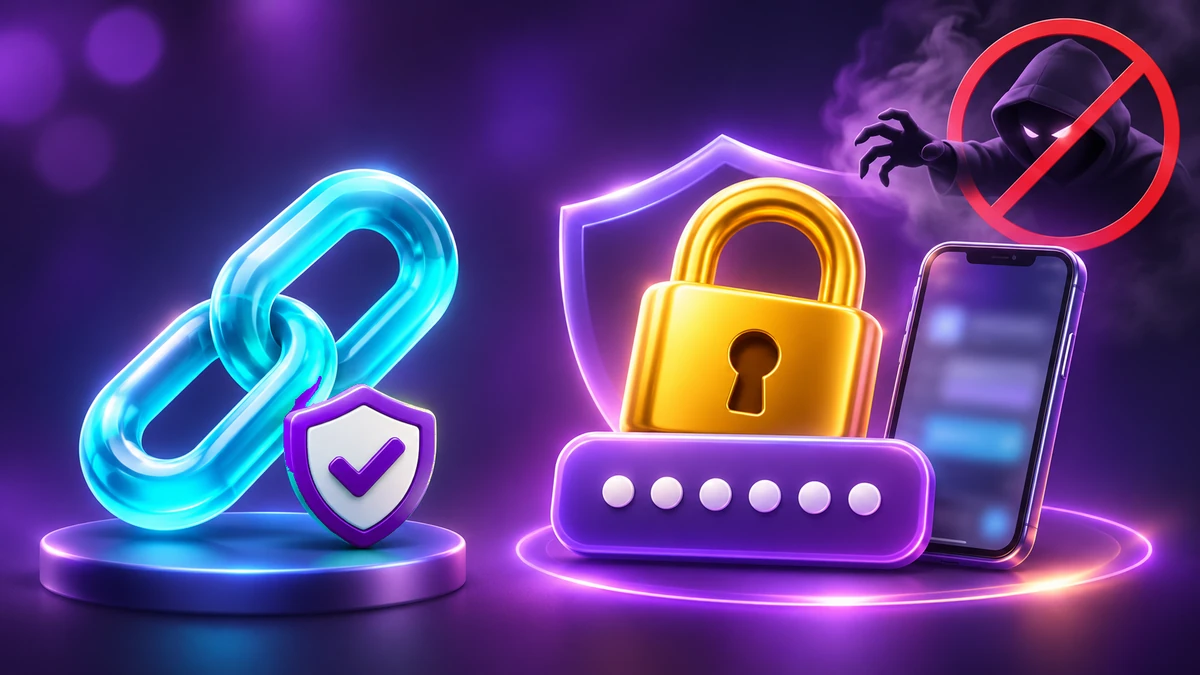
A public link is enough for a TikTok order, while the account password stays locked and private
Share a public link. Never share your password or a login code.

TikTok Removes Fake Likes and Followers

TikTok's Integrity and Authenticity rules say that when it detects accounts or content with inauthentic metrics, it will remove fake likes, followers or other inflated signals. So a number can go up after an order and come back down later.

A drop is not the same as a penalty. It may simply be TikTok cleaning the number. A penalty is something else, such as a violation notice in your inbox or a restriction on your account, which we cover in step 4.

Fake TikTok followers and likes being removed from an account while real engagement stays
TikTok says it removes inflated signals when it detects them.

A service with refill can be topped up if it drops inside its refill period. No honest panel can promise zero drop, because TikTok decides what stays.

The For You Feed Cannot Be Bought

Many people order views hoping to "trigger the algorithm". No panel can promise that. TikTok says authentic engagement helps power its recommendations, and its rules name services that try to trick the recommendation system. Restrictions for deceptive behavior can also limit your ability to appear in the For You feed or in top search results.

Bought views can also make your analytics harder to read. If a large part of your traffic does not behave like your real audience, it is harder to see which videos your real viewers enjoy. If you use a panel, treat it as a small push for a video that is already good, with a strong first few seconds. The content still has to do the real work.

TikTok's Rules: Warnings, Restrictions and Bans

TikTok's rules do not allow accounts that mislead or try to manipulate the platform, or "the trade of services that artificially boost engagement". For deceptive account behavior, TikTok says it may ban your account, ban additional or new accounts you create, or restrict your account. A restriction can limit posting, top search results or the For You feed.

TikTok's account violations page also explains how status works:

  • Your account status reflects your violation history over the last 90 days and can be Healthy, Fair, Severe or Banned.
  • Violations expire after 90 days and are no longer taken into consideration.
  • Repeated violations can lead to temporary feature restrictions or a permanent ban.
  • For certain first violations, TikTok may offer optional in-app policy training.
  • You can appeal a removal or a ban, but making a new account to avoid a ban can get that account banned too.

So check your account status often. If it changes, or you get a violation notice, stop all orders on that account.

Creator Rewards: The Biggest Risk

This is the most important part of this guide if you want to earn from TikTok. TikTok's US Creator Rewards Program terms ask for at least 10,000 authentic followers, at least 100,000 authentic total video views in the last 30 days, an account in good standing, and eligible videos of at least 1 minute.

The same terms exclude metrics TikTok decides are artificially produced, or paid or incentivized, from its rewards criteria. They also say creators must not use any method that tries to artificially increase views or interactions. Terms and eligible countries differ by region, so check the version for your country inside the app.

Our advice is simple: do not buy followers or views to reach Creator Rewards. Bought numbers may not count, and the account you worked on is what you could lose.

Speed: Why a Sudden Jump Looks Wrong

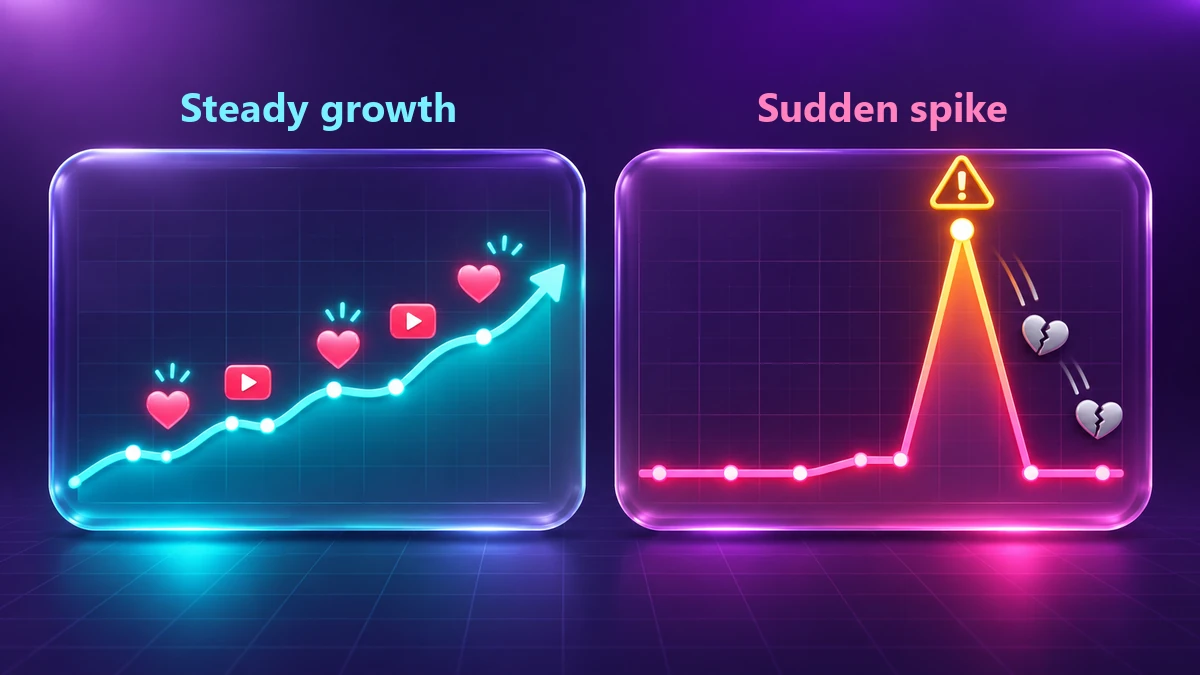
Real videos usually grow in waves as people watch, share and come back. Thousands of followers in an hour on an account with few comments or shares looks very different from that pattern.

Chart comparing steady TikTok growth in waves with a sudden spike that crashes back down
Gradual growth looks more natural than one sharp spike.

A slower service or a drip-feed order, which splits one order into small parts over time, looks more like normal growth than a sudden jump. Slow is not a guarantee of safety, but very fast delivery is usually the riskier choice. Avoid running two orders on the same link at once, because that makes the order count hard to track.

Scam Panels and Payment Safety

The last risk has nothing to do with TikTok. Some "panels" take your money and deliver nothing, or disappear after the first problem. A cheap price means nothing if the order never finishes.

Before you add funds, check that the panel has real support, a clear refill and refund policy, and a working order history. Start with a small deposit and one small order. Our guide How to Choose the Best SMM Panel has a 12-point checklist you can use on any panel, including ours.

Which TikTok Services Are Riskiest?

Not every TikTok service carries the same risk. This table is our own guide, based on TikTok's rules. It is not a TikTok rating and not a promise.

ServiceRisk levelWhy
Small amounts of viewsLowerSmall amounts stand out less, but low-quality views can still be removed
Likes, saves and sharesMediumNumbers can be removed and look odd if they far exceed your views
CommentsMediumGeneric comments look fake, and spam can be sorted lower or removed
FollowersHighTikTok names fake followers, and followers are tied to Creator Rewards
LIVE viewersHighLIVE is monetized and has its own rules, with possible LIVE restrictions
Anything to reach Creator RewardsHighestTikTok's terms ask for authentic numbers and exclude artificial metrics

Risk also depends on your account. A new account with three videos and a large bought following stands out much more than an active account with real viewers.

A Careful Test Before You Order More

  1. Check your account status first. If it is not Healthy, do not place an order.
  2. Pick one video that is already good. Use a public video with a strong opening, not an empty new account.
  3. Read the service details. Check the speed, refill period and start time before you order.
  4. Start small. Order a small amount compared with the numbers you already have.
  5. Use a slow speed or drip-feed. Spread the order over days instead of hours.
  6. Watch your analytics for a week. Check traffic, watch time, notices and your account status.
  7. Stop at any warning. If TikTok sends a violation notice, stop all orders on that account.

Red Flags of an Unsafe TikTok Service

  • It asks for your TikTok login or a code. No real service needs that.
  • "Guaranteed For You page." No panel controls TikTok's recommendations.
  • "Guaranteed Creator Rewards approval." TikTok decides who joins, and it asks for authentic numbers.
  • "100% safe, never drop." TikTok says it removes inflated signals, so nobody can promise this.
  • Huge amounts delivered in minutes. A sudden jump is the riskier pattern.
  • No refill, no support and no order history. If something goes wrong, you have no one to ask.

What to Do If Something Goes Wrong

Likes or followers dropped: if you are inside the refill period, use refill on your Orders page or open a ticket with the order ID. If the service had no refill, the drop will not be replaced, so choose a refill service next time.

TikTok sent a violation notice: stop every order on that account and read the notice. Complete the policy training if TikTok offers it, and appeal only if you believe it made a mistake.

A post is not eligible for the For You feed: open the post's analytics to read the reason. You can appeal from there if you think the decision is wrong.

Your account was banned: log in to read the notice and submit an appeal. Do not make a new account to get around the ban, because TikTok may ban that one too.

Final Thoughts: Is an SMM Panel Safe for TikTok?

An SMM panel is safe for TikTok in one way: a good one never touches your login. Beyond that, it carries real risk. TikTok does not allow the trade of artificial engagement, says it removes fake likes and followers, can restrict or ban deceptive accounts, and asks for authentic numbers in Creator Rewards.

If you still decide to use a panel, do it the careful way: small orders, slow delivery, good content first, and stop at the first warning. You can compare service types on the TikTok SMM panel page and the full service list before you decide.

Frequently Asked Questions

Is an SMM panel safe for TikTok?

It is safe for your login, because a good panel only needs a public link. It is not risk-free for your account. TikTok does not allow the trade of services that artificially boost engagement, says it removes fake likes and followers, and can restrict or ban accounts for deceptive behavior.

Can TikTok ban my account for buying followers?

It can. TikTok says it may restrict or ban accounts for deceptive behavior, and repeated violations can lead to a permanent ban. No panel can promise that this will never happen.

Why are my TikTok likes or followers dropping after an order?

TikTok says it removes fake likes, followers and other inflated signals when it detects them. If your service has refill, request a refill inside the refill period.

Do bought followers and views count for TikTok Creator Rewards?

You should not expect them to. TikTok's US terms ask for authentic followers and views and exclude artificial or paid metrics from its rewards criteria. Terms differ by region, so check the version for your country.

Can an SMM panel get my video on the For You page?

No panel can promise that. TikTok controls its recommendations, and restrictions for deceptive behavior can limit your reach in the For You feed and in search.

How long do TikTok violations last?

TikTok says violations expire after 90 days and are no longer taken into consideration. Your account status in the app shows your record for that period. Severe or repeated violations can still lead to a permanent ban.

Read More →
Support is online 24/7

Hi there 👋
How can we help?

Pick a channel below. We usually reply within 30 minutes to 2 hours.

Chat with our team

WhatsApp live chat LiveReply in 30 min to 2 hours
Text messages only. Calling on WhatsApp can get your number blocked.
Telegram supportBest for payment issues and discounts

Instant answers

AI support bot 24/7Automatic answers on Telegram, any time

Get updates and offers

Have an account? Open a support ticket