
Fake Chat Generator for every app
Write one chat and see it as WhatsApp, iMessage, Messenger or Instagram with one tap. Change names, ticks, Seen, dark mode and photos, then download a sharp PNG. Free, and nothing leaves your browser.
Switch the app any time. Your messages stay the same.
1Who are you chatting with?
iMessage shows only the name. Read and Delivered are set in card 3.
2Write the messages
3Look
More options
The image is 1080 px wide, sharp on any phone.
Need more WhatsApp options? Open the full editor with this chat →Your chat in all 4 apps
Same messages, four looks. Download any of them, or pick one to keep editing.
Want one app only? Fake WhatsApp chat → · Fake iMessage → · Fake Messenger chat → · Fake Instagram DM →
What is a fake chat generator?
A fake chat generator is a free online tool that makes a realistic chat screenshot without sending any real message. On this page you type both sides of the chat once, then switch between WhatsApp, iMessage, Facebook Messenger and Instagram DM to see the same chat in each app, and save it as a 1080 px PNG.
Creators use it for Reels, TikToks and memes, marketers use it for ad mockups, and designers use it for app demos. Everything happens in your browser. We never see your names, messages or photos.
Fake chat generator for WhatsApp, iMessage, Messenger and Instagram
Most fake text tools make one app at a time. If your video needs the same joke as a WhatsApp chat and as an Instagram DM, you have to type it twice. Here you write it once. The four phone screens come from our single-app tools, so each one looks like its own app: WhatsApp ticks and wallpaper, iMessage blue and green bubbles, Messenger colours and Instagram gradient bubbles.
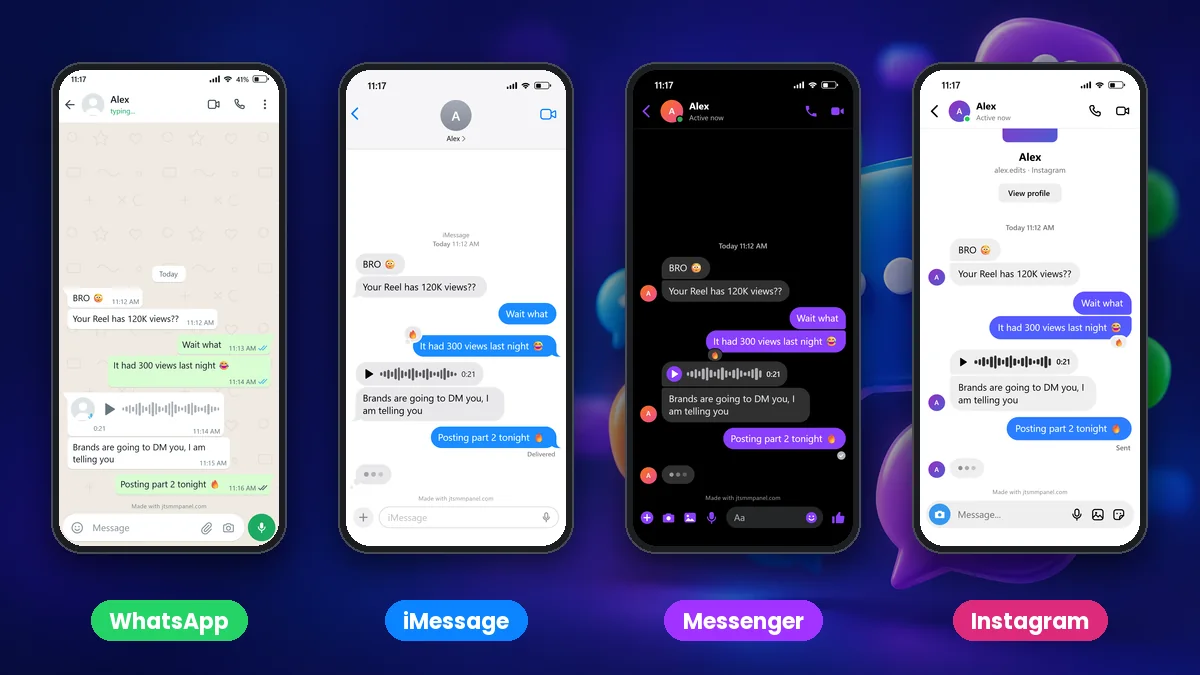
What each app shows
| Part of the chat | iMessage | Messenger | ||
|---|---|---|---|---|
| Under the name | online, last seen, typing... | Name only | Active now, Active 5m ago | Active now or @username |
| Seen | Blue double tick | Read + time | Their tiny photo | "Seen" |
| Delivered | Grey double tick | "Delivered" | Filled tick | "Sent" |
| Sent | One grey tick | "Delivered" | Empty tick | "Sent" |
| Your bubble colour | Light green | Blue, or green for SMS | 5 colours | 5 themes incl. gradient |
| Reactions | Not shown | Yes | Yes | Yes |
| Message times | On every bubble (made for you) | Time lines | Time lines | Time lines |
| Phone style | Android or iPhone | iPhone | Phone | Phone |
How to make a fake chat screenshot
- Pick the app. Tap WhatsApp, iMessage, Messenger or Instagram at the top. You can change it later.
- Add the other person. Type their name, pick a status like "online" or "Active now", and add a profile photo if you want.
- Write the chat. Choose Me or Them, type a message and press Enter. Add photos, voice notes and time lines. Use ↑ ↓ to change the order.
- Set the look. Light or dark mode, Seen or Delivered, and the app's own style: Android or iPhone, iMessage or SMS, chat colour or theme.
- Download. Press Download PNG. To get all four versions, open "See it in all 4 apps" and download each one.
Your chat is saved in this browser, so you can close the page and come back later. Clear it with "Delete all messages".
Fake chat examples
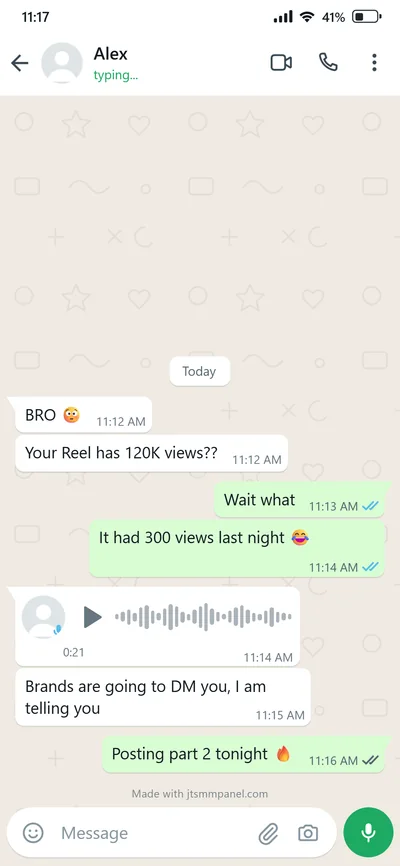
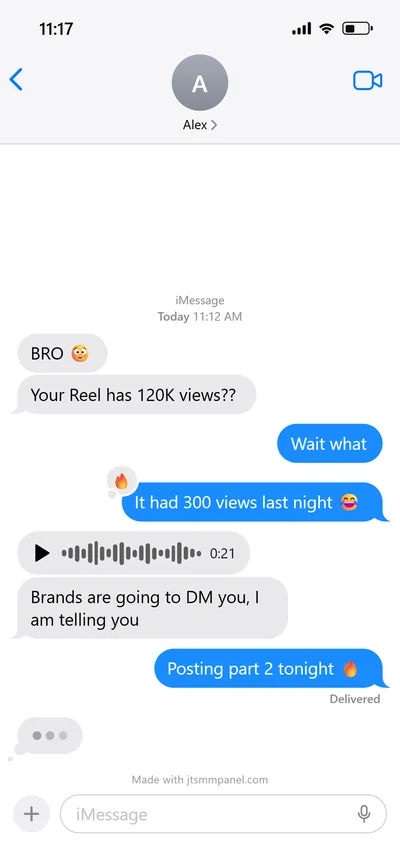
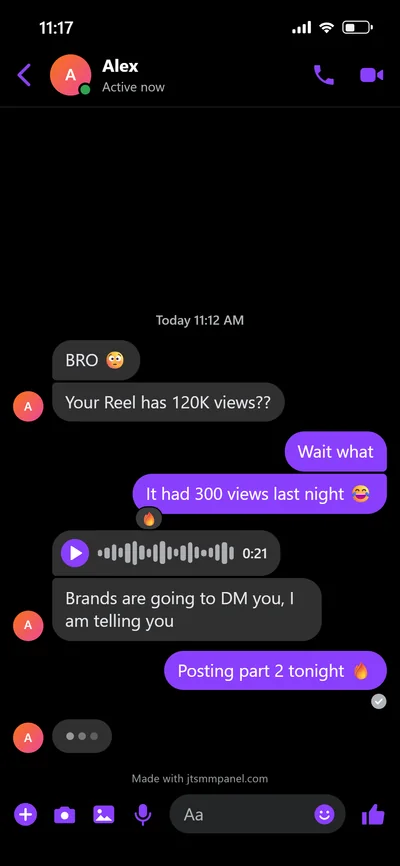
Here is the "Viral Reel" example in each app. Press the example buttons above the tool to load it and make it your own.
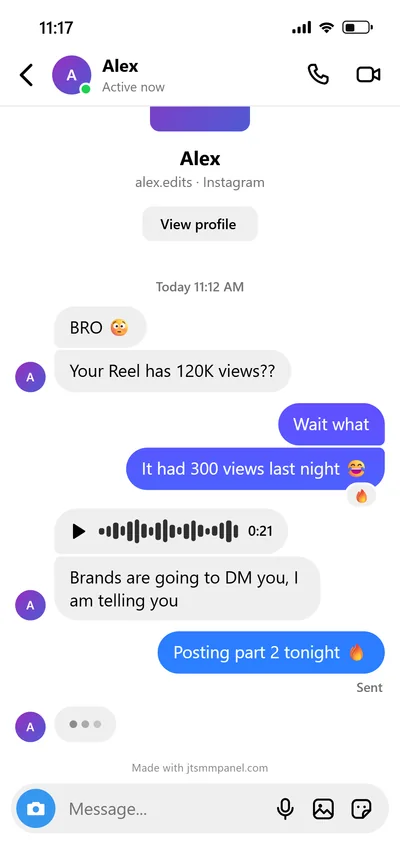
Need one app with every option?
This page covers what all four apps share. Each app also has its own page with extra features. Press "Open the full editor" under the preview and your chat moves there with you.
What people make with a fake chat generator
- Reels, TikToks and Shorts: "POV: your mom texts you" videos and story-time clips. Make the chat in the app your audience uses most.
- Memes and jokes: funny chats with friends, pets "texting" you, or a famous movie line as a chat (with made-up names).
- Ads and product demos: show how a shop answers on WhatsApp or Instagram DM, without sharing real customer chats.
- App and website mockups: designers drop a clean chat screen into a landing page or a pitch deck.
- Stories and teaching: writers, teachers and trainers show a conversation in a way people instantly understand.
Tips to make a fake text chat look real
- Short messages win. Real people send 3 short bubbles, not 1 long paragraph.
- Match the clock. Set the phone clock a few minutes after the last time line.
- Use the right status. "online" on WhatsApp, "Active now" on Messenger and Instagram, nothing on iMessage.
- Add one reaction or voice note. It makes the chat feel lived in.
- Pick dark mode for night chats. A 2 AM chat in light mode looks wrong.
- Use a real-looking photo you own, or leave it empty so the app shows its default picture.
This fake chat generator vs typical fake chat apps
| Feature | This tool | Typical fake chat app |
|---|---|---|
| Price | Free | Free with ads, or paid themes |
| Signup or install | None, works in the browser | App install, sometimes an account |
| Same chat in 4 apps | Yes, one tap | Type it again for each app |
| Your photos and messages | Stay on your device | Often uploaded to a server |
| Image size | 1080 px PNG | Screenshot of your own screen |
| Watermark | Small, and you can turn it off | Often only removed if you pay |
Is it legal to make a fake chat?
Making a fake chat for fun, art, teaching or a mockup is fine in most countries. Using it to trick people is not: fake proof of payment, fake confessions, fake messages from a real brand or person, or anything that harms someone's name can be fraud or defamation.
Our rule: keep it clearly a joke or a mockup, use made-up names or your own friends with their OK, and leave the small watermark on when you post it. This tool has no verified badges on purpose.
Fake chat generator FAQ
Is this fake chat generator free?
Yes. It is 100% free, with no signup, no app and no limit on downloads.
Which apps can I make a fake chat for?
WhatsApp (Android and iPhone), iMessage (blue and green SMS bubbles), Facebook Messenger and Instagram DM. You write the chat once and switch between them with one tap.
Can I get the same chat in all four apps?
Yes. Press "See it in all 4 apps" under the tool to see four phones side by side, then download each one as a PNG.
Are my messages and photos uploaded?
No. The chat is made and saved inside your own browser. Photos never leave your device, and the PNG is made on your device too.
Can I make a fake chat in dark mode?
Yes. Press Dark in card 3. It works for all four apps, with each app's own dark colours.
Can I remove the watermark?
Yes. Open "More options" and untick "Small watermark". We ask you to keep it on when you post a chat publicly, so people know it is not real.
Does it work on my phone?
Yes. It works on iPhone and Android in any modern browser. The preview fits your screen, and you can tap it to see it full size.
Can I add photos and voice messages?
Yes. Use the Photo and Voice buttons in card 2. You can also add time lines like "Today 9:41 PM" between messages.
Is it legal to make a fake text conversation?
For jokes, videos, art and mockups, yes in most places. Using a fake chat to cheat, scam or harm a real person is not legal. Keep it clearly fake.
Made a funny chat? Help it travel
Post it as a Reel or TikTok, then give it a push with real views and likes from JTSMMPANEL, the SMM panel trusted by creators and resellers.