
Fake Facebook Messenger Chat Generator
Make a realistic Messenger chat screenshot in one minute. Add Seen, reactions, Active now and your chat colour, pick light or dark, then download a sharp PNG. Free, and nothing leaves your browser.
1Who are you chatting with?
2Write the messages
3Look
More options
The image is 1080 px wide, sharp on any phone.
Want a different app? All 4 apps in one → · Fake WhatsApp chat → · Fake iMessage → · Fake Instagram DM →
How do you make a fake Facebook Messenger chat?
Type the person's name, add each message as Me or Them, pick light or dark and a chat colour, then press Download PNG. This free generator builds a realistic Messenger screenshot in your browser in about a minute, with Seen, reactions, Active now and big emoji, and no app or signup.
The preview next to the editor (on top on a phone) is the exact image you will download. Every change shows straight away, so you can fix a typo before you save it.
What you can change in the Messenger chat
| Part of the screen | What you can set |
|---|---|
| Person | Name, profile photo (or initials), and the line under the name: Active now with the green dot, Active 5m ago, or anything you type |
| Messages | Sent by you (colour, right) or by them (grey, left, with their photo). 1 to 3 emoji on their own show big |
| Chat colour | Blue, purple, pink, orange or green, like a Messenger chat theme |
| Reactions | Love, haha, wow, sad, angry and like on any message |
| Under your last message | Seen (their tiny photo), Delivered, Sent, or nothing |
| Media | Photos, voice messages with any length, and time lines like Today at 9:41 PM |
| Phone | Clock, battery level, light or dark mode, typing dots |
| Image size | Normal phone screenshot, or one long image with the whole conversation |
Fake Messenger chat examples
All three were made with this tool in under a minute. Press the matching button above the tool to open any of them and change it.
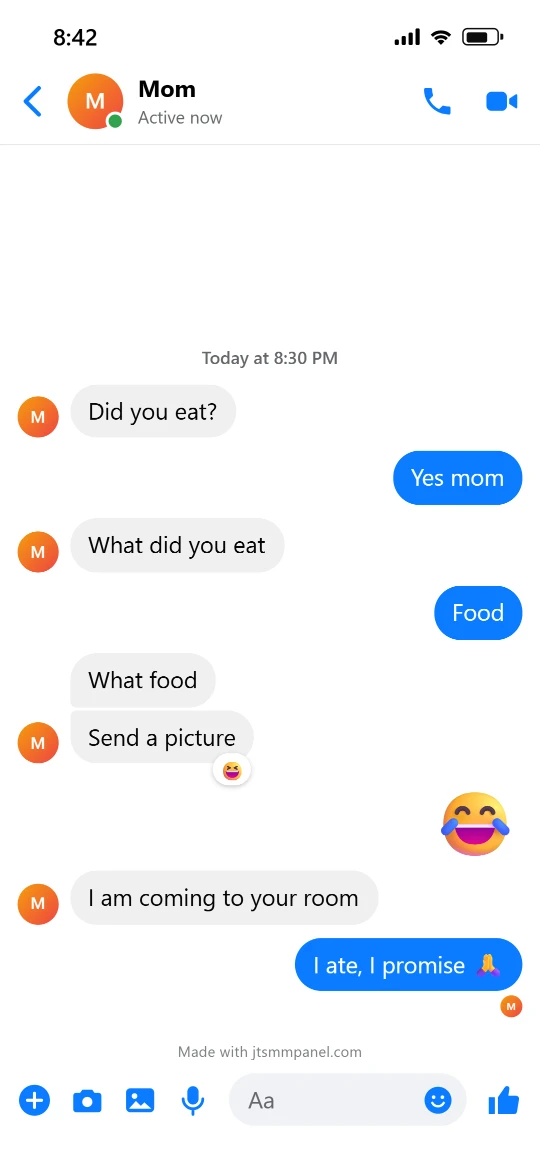
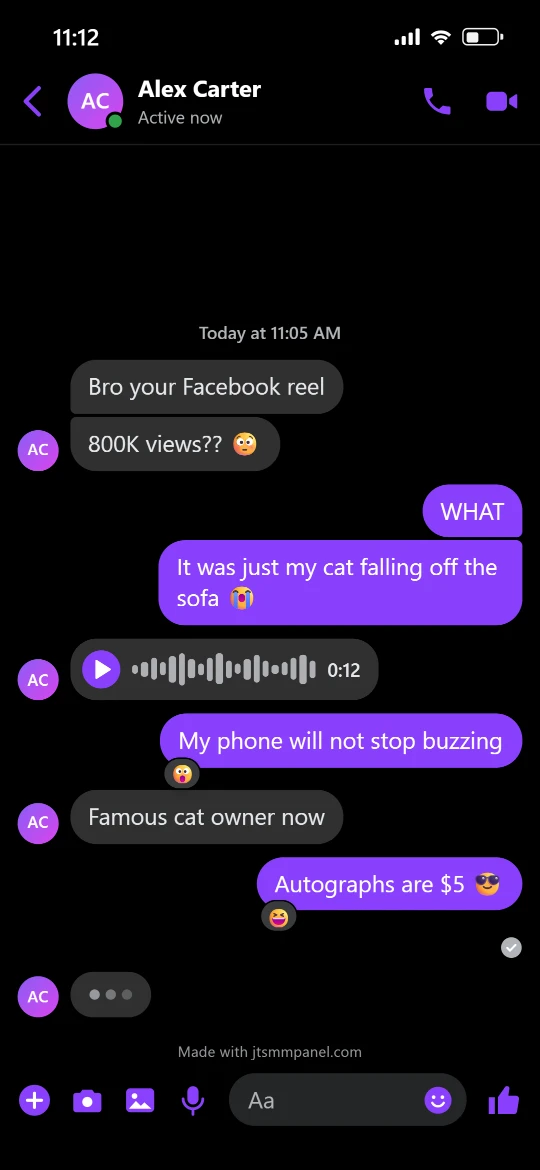
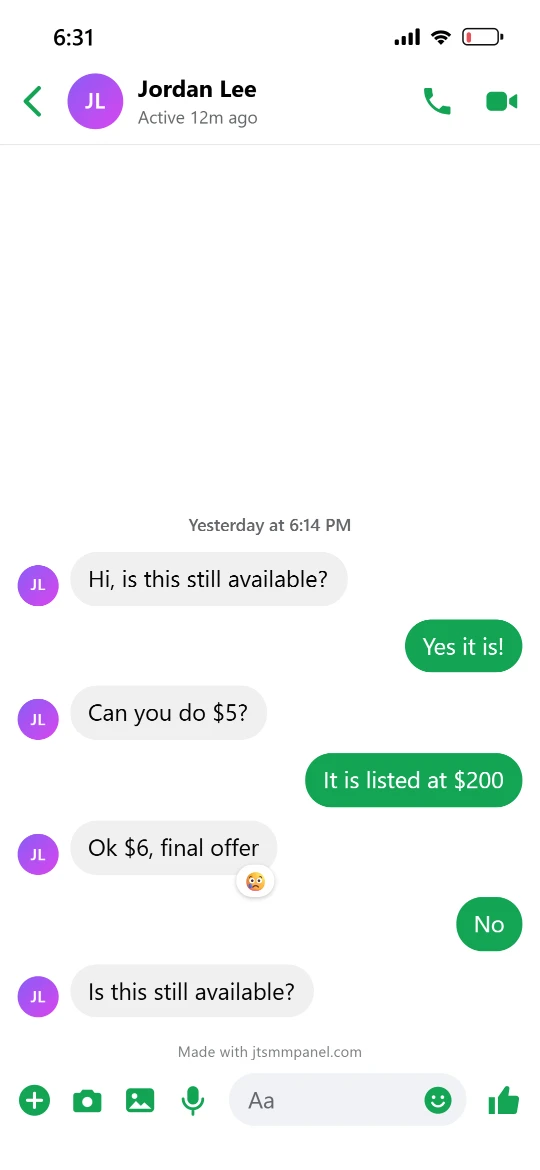
Messenger signs explained
| What you see | What it means in the real app |
|---|---|
| Empty circle with a tick | Sent: the message left your phone |
| Filled circle with a tick | Delivered: it reached their phone, but they have not opened it |
| Their tiny photo | Seen: they opened the chat and read it |
| Green dot on the photo | Active now: they are online at this moment |
| Three grey dots | They are typing a reply right now |
Pick the sign that fits your story. "Seen" with no reply is the classic left-on-read joke, and "Delivered" works well for a message they have not opened yet.
How to use the fake Messenger chat generator
- Set the person. Type their name, pick Active now or a time, and upload a profile photo if you want one.
- Add the messages. Tap Me or Them, type the message and press Enter. Use Photo, Voice and Time for the other parts.
- Fix the details. In the list under the box you can edit any message, switch its side, add a reaction, move it up or down, or delete it.
- Pick the look and download. Choose light or dark, a chat colour and Seen, Delivered or Sent, then press Download PNG.
Your chat is kept on this device, so if you close the page by mistake, it is still there when you come back. Nothing is saved on our server.
What people make with it
- Memes and funny posts. A made-up chat with a parent, a friend or a Marketplace buyer is one of the easiest posts to share on Facebook.
- Story videos. Chat-story videos on Facebook Reels, TikTok and YouTube Shorts are built from chat screenshots. Use Long screenshot and scroll it in your video editor.
- Ads and app mockups. Show a customer conversation on a landing page or in a pitch deck, clearly as an example.
- Teaching online safety. Teachers and parents build example scam messages to show kids what to watch out for.
- Books, comics and scripts. Writers use chat screenshots to tell part of a story.
Tips to make the chat look real
- Start with a time line. A real chat shows a small grey line like "Today at 9:41 PM". Add another one when there is a long gap.
- Match the clock. The phone clock at the top should be the same as or later than the last time line.
- Seen only when it fits. The Seen photo shows under your last message, and only if they have not replied yet.
- Send short messages. People send three short messages more often than one long one, and the bubbles join together like the real app.
- Use a real-looking photo. A profile photo makes the chat look much more real than initials.
This tool vs a typical fake chat app
| Feature | JTSMMPANEL generator | Typical fake chat app |
|---|---|---|
| Price | Free | Free with ads, pro features paid |
| Install or signup | None, works in the browser | App install, sometimes an account |
| Seen, Delivered and Sent | All three | Often Seen only |
| Reactions and Active now | Yes | Sometimes paid |
| Chat colours and dark mode | 5 colours, light and dark | Often one look |
| Long screenshot | Yes | Rare |
| Watermark | Small, and you can turn it off | Often forced |
| Your messages | Stay on your device | Depends on the app |
Is it legal to make a fake Messenger chat?
Yes, for fun and creative work: jokes, memes, stories, videos, design mockups and teaching. That is what this tool is for.
It is not OK to use a fake chat to trick someone, as fake proof in an argument, a court case or a payment dispute, to scam people, or to pretend to be a real person and harm them. In many countries that is fraud, forgery or harassment. If you post a made-up chat, it is good practice to say it is made up.
This is an independent tool. It is not made by, linked to or approved by Meta. Facebook and Messenger are trademarks of Meta Platforms, Inc., and the names are used here only to describe the style of the screenshot.
Fake Messenger chat generator FAQ
How do I make a fake Facebook Messenger chat?
Type the person's name, add messages as Me or Them, pick light or dark and a chat colour, then press Download PNG. It takes about a minute and works on a phone or a computer.
Is this fake Messenger chat generator free?
Yes. It is free with no signup and no app. A small jtsmmpanel.com watermark is on by default, and you can turn it off under More options.
Are my messages saved or uploaded?
No. Everything runs in your browser, and your messages and photos are never sent to our server. The tool remembers your last chat on this device only, so you can come back to it.
How do I show Seen under my message?
Pick Seen under Look. A small round photo of the other person shows under your last message, like in the real Messenger app. Delivered shows a filled circle with a tick and Sent shows an empty circle with a tick.
Can I add reactions like Love or Haha?
Yes. Every message in the list has a reaction menu with love, haha, wow, sad, angry and like. The reaction shows in a small bubble on the corner of the message.
Can I change the chat colour?
Yes. Pick blue, purple, pink, orange or green under Look. Your bubbles and the icons in the chat change to that colour, like a Messenger chat theme.
Can I make a long screenshot of the whole conversation?
Yes. Open More options and tick Long screenshot. The image grows to show every message, which is handy for story videos.
Is it legal to make a fake Messenger chat?
Making one for jokes, stories, videos or design mockups is fine. Using it to trick people, as fake proof, to scam someone or to pretend to be a real person can be illegal. Use it for fun and creative work only.
Made something funny? Help it travel
Post your chat as a Facebook Reel or a post, then give it a push with real-looking views, likes and followers from JTSMMPANEL. Fast start and refill on most services.